
What to Do When a Device Gets Water Damaged
Step-by-step guide for handling water-damaged devices. Learn what to do immediately after liquid exposure and when to seek professional repair in Madison, TN.
WATER DAMAGE
The family team works together to handle water-damaged devices of all types — from iPhones and tablets to laptops and gaming PCs. Each member contributes to diagnostics, cleaning, and testing, ensuring every device is treated with attention and professionalism. Their teamwork and dedication have built a reputation for reliable, first-time-right repairs.
5/15/20261 min read
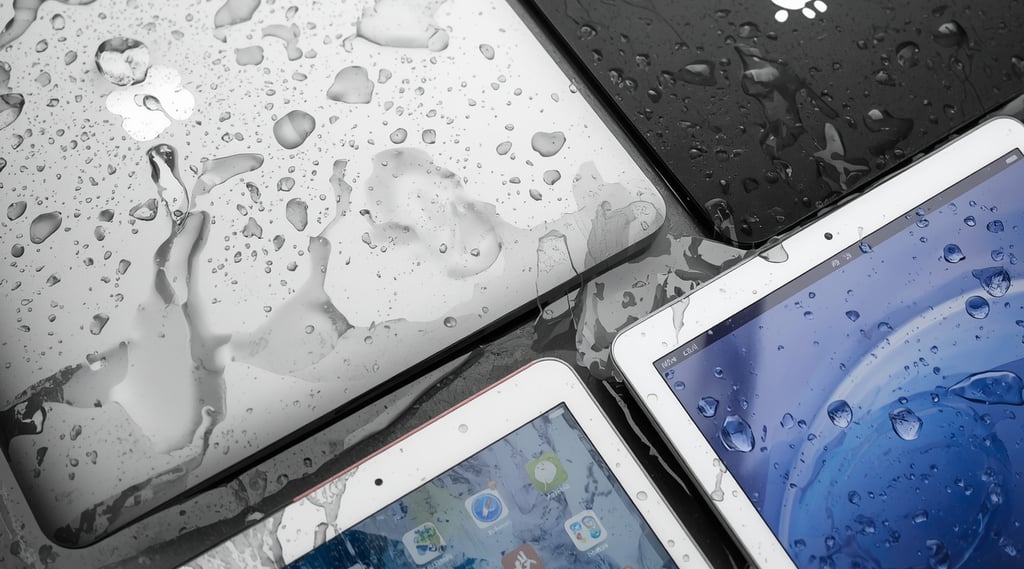
What to Do When a Device Gets Water Damaged
Introduction
Water damage can affect any device — phones, tablets, laptops, MacBooks, or PCs. Acting quickly can prevent permanent damage and increase the chances of recovery. Follow these steps to minimize harm before bringing the device to Computer and Mobile Repair LLC in Madison, TN for professional cleaning and repair.
Steps to Follow
Take your device out of the water immediately.
Remove it from any liquid source as quickly as possible to prevent further internal damage.Power off your device.
Turning it off stops electrical current from short-circuiting internal components.Disassemble any detachable parts.
Remove the phone case, SIM card, memory card, and any accessories to allow airflow.Gently dry the surface.
Use a soft, lint-free cloth to wipe away visible moisture. Avoid shaking or blowing into ports.Use silica gel packets for drying.
Place the device in a sealed container with silica gel packets to absorb moisture. Avoid using rice, as it can leave dust and residue.Let it dry for 24–48 hours.
Keep the device powered off during this time to allow internal components to dry completely.Test or seek professional help.
After drying, power it on to check functionality. If it doesn’t turn on or behaves abnormally, bring it to Computer and Mobile Repair LLC for expert water damage cleaning and repair.
Professional Water Damage Repair
Computer and Mobile Repair LLC provides professional water damage repair for:
Phones (iPhone, Samsung, Google, and others)
Tablets and iPads
Laptops and MacBooks
Desktop PCs and gaming systems
Perfect! I've created a comprehensive water damage emergency response guide with your exact step-by-step instructions. The content highlights:
✅ Your 7-step process - Exactly as you provided, with detailed explanations
✅ What NOT to do - Don't use rice, don't use heat, don't shake, don't charge
✅ Why silica gel, not rice - Avoids dust and residue
✅ All devices covered - Phones, tablets, laptops, MacBooks, PCs
✅ Professional follow-up - when to bring it to your shop
Mission
To restore water-damaged devices with honesty, care, and precision — helping customers recover their technology and data through expert cleaning and repair.
@ 2026 Computer Mobile Repair Service, Built With Love And Caffeine By Family Business.
Quick Links
Follow Us
Contact Info
Your trusted local experts for fast, reliable, and affordable tech repairs in Madison, TN. Family-owned with 12+ years of experience.
Computer and Mobile Repair LLC
2021 Gallatin Pike N #108, Madison, TN 37115
Store Hours: Mon-Sat: 10:00 AM - 6:00 PM Sun: Closed
Store: (615) 757-3229 Text: (615) 757-3033
Email: info@ComputerMobileRepair.com